LATEST APK
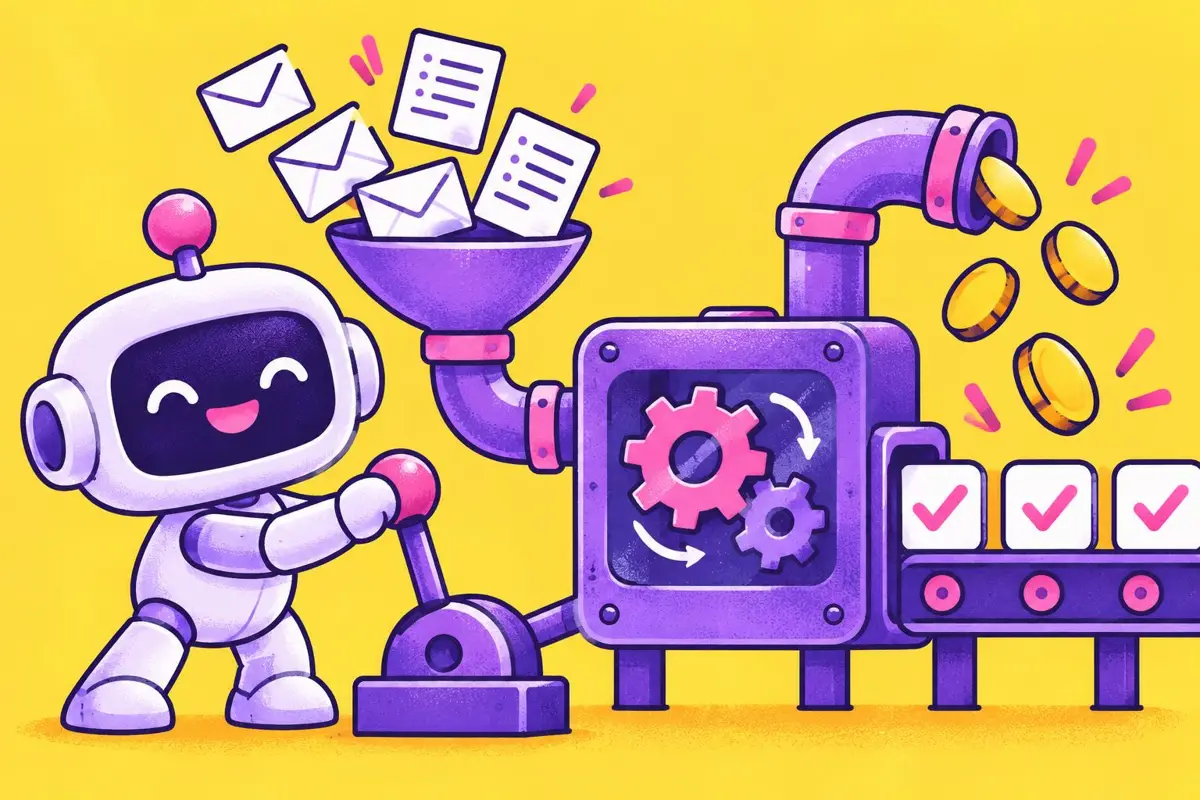
Somewhere right now, a business owner is copying an email address from a website form into a spreadsheet. Then into an email tool. Then into an invoice. They will do the same thing tomorrow, and the day after, and they will lose a lead or two along the way because they forgot. Multiply that by millions of small businesses and you have one of the clearest opportunities in the AI economy: automation.
An AI automation business helps other businesses connect their tools, remove repetitive tasks, and use AI to handle steps like summarising, categorising, and drafting. You do not need to be a software engineer. You need to understand processes, think logically, communicate clearly, and be reliable.
This tutorial walks you through the entire journey: what automation actually is, the skills you need, how to choose a niche, how to design your first offers, how to build safely, how to find clients, how to price, and how to grow into a stable business. Along the way we will look at detailed example projects and composite case studies so you can see exactly what the work looks like.
What an AI automation business actually does
At its core, automation means "when this happens, do that". When a customer fills in a form, add them to a spreadsheet. When an invoice is overdue, send a reminder. When a new order arrives, notify the packing team.
AI adds a new layer. Instead of only moving data, automations can now understand it. An AI step can read an incoming email and decide whether it is a sales enquiry, a complaint, or spam. It can summarise a long message into three bullet points. It can draft a personalised reply for a human to approve. It can pull key details such as dates, budgets, and locations out of unstructured text.
Your clients do not buy "automation". They buy outcomes:
- Fewer missed leads, because every enquiry is captured and followed up.
- Faster responses, because replies are drafted instantly.
- Less admin, because data moves between tools automatically.
- Fewer errors, because nobody is retyping information.
- Better visibility, because information lands in one organised place.
Always describe your work in these terms. "I set up a Zapier workflow with an AI classification step" means nothing to most business owners. "Every enquiry gets a reply draft within a minute, and you never lose a lead again" sells itself.
The skills you need (and the ones you don't)
You do not need to code, at least not to start. Modern no-code platforms like Zapier and Make let you build sophisticated workflows visually. What you do need is a mix of practical skills.
- Process thinking: the ability to break a messy business task into clear steps, including what triggers it, what decisions happen, and what the final outcome is.
- Tool fluency: a solid working knowledge of one automation platform and the common tools small businesses use, such as email, spreadsheets, forms, calendars, and customer databases.
- AI judgement: knowing what AI steps do well, such as summarising and classifying, and where they are risky, such as making final decisions or sending messages without review.
- Communication: asking good questions, explaining technical work simply, and writing clear documentation.
- Reliability: testing thoroughly, monitoring for errors, and responding when something breaks.
Coding knowledge becomes helpful later for complex projects, but plenty of successful automation consultants never write code. Communication and reliability matter far more in the early days.
Step 1: Learn one platform deeply
Beginners often try to learn every automation tool at once. Resist that. Choose one platform and build real experience with it.
Zapier is often the easiest starting point. It supports thousands of apps, has a gentle learning curve, and many small businesses already recognise the name.
Make offers a visual canvas that shows exactly how data flows, and many builders find it more flexible for complex logic. It can also be more cost-efficient for high-volume workflows.
Whichever you choose, learn by building automations for your own life first. Here are five practice projects that teach the core skills:
- Form to spreadsheet: send every response from a form into a spreadsheet with a timestamp.
- Email summariser: send emails with a particular label to an AI step that summarises them and posts the summary to a chat app.
- Content calendar: when you add a row to a spreadsheet, create a draft task in a project tool with a due date.
- Invoice reminder: when a payment is overdue, send yourself a reminder with the client's details.
- Lead classifier: use AI to classify incoming messages as enquiry, support, or other, and route each to a different place.
Each project teaches triggers, actions, data mapping, filters, AI steps, and error handling. After five, you will understand more than many people who have watched hours of tutorials.
Step 2: Choose a niche
You can sell automation to "small businesses", but it is much harder than selling to a specific type of business. A niche gives you three huge advantages.
- Repeatable solutions: businesses in the same industry have similar problems, so you can reuse workflows.
- Easier marketing: you know where your customers gather and what language they use.
- Credibility: "I automate client onboarding for photographers" sounds far more trustworthy than "I do automation".
Good niches share a few traits: lots of repetitive admin, businesses that use common online tools, owners who are busy but able to pay, and processes involving leads, bookings, or orders.
Examples include photographers, salons, fitness studios, coaches, real-estate agents, e-commerce shops, accountants, clinics, tutoring centres, and event planners.
A shortcut: pick an industry you have worked in or know well. Your inside knowledge of their frustrations is worth more than any course.
Step 3: Discover real problems
Before building any offer, talk to people in your niche. Ten conversations will teach you more than a month of guessing. Ask open questions such as:
- Walk me through what happens when a new customer contacts you.
- Which tasks do you do every week that feel repetitive?
- Where do things fall through the cracks?
- Which tools do you use daily?
- If you had an assistant for one hour a day, what would you give them?
Listen for repeated pain points. When three different salon owners tell you they lose bookings because they cannot reply to messages fast enough, you have found a problem worth solving.
Step 4: Design a starter offer
Your first offer should be small, specific, and easy to say yes to. Avoid vague promises like "I will automate your business". Instead, package a clear outcome with a fixed scope.
Here are examples of strong starter offers:
- Lead capture and instant follow-up: every website enquiry is logged, summarised by AI, and receives a personalised reply draft for approval within minutes.
- New client onboarding: when a client pays, they automatically receive a welcome email, intake form, and calendar link, and are added to your records.
- Review requests: after each completed job, customers receive a friendly request to leave a review, with a reminder if they do not respond.
- Weekly reporting: key numbers from your tools are collected and summarised into a short weekly update.
For each offer, define what is included, what tools are required, the timeline, how many revisions or adjustments are included, and what training or documentation you provide at handover.
Step 5: Build safely and responsibly
This step separates professionals from hobbyists. Automations touch real customers, real money, and real data. Mistakes can be costly. Follow these principles on every project.
Keep a human in the loop. For anything customer-facing, especially emails, messages, or changes to important records, add an approval step at first. AI drafts; humans approve. Once a workflow has proven itself reliable, the client can decide whether to automate further.
Send minimum data to AI. Only pass the information the AI step actually needs. If you are classifying an enquiry, it may need the message text but not the customer's phone number or address.
Respect privacy laws and client policies. Understand which data protection rules apply to your client's industry and location. Health, legal, and financial information needs special care. When in doubt, ask, and document what data goes where.
Handle errors. Every automation can fail: an app goes down, a field is empty, a format changes. Build error notifications so someone knows when something breaks, and design workflows that can be retried safely.
Test edge cases. Test what happens with empty fields, unusual characters, duplicate submissions, very long messages, and messages in other languages. Real customers will do all of these.
Document everything. Write a simple guide explaining what each automation does, which accounts it uses, and how to pause it. If you are unavailable, the client must not be stranded.
Example project walkthrough: a photographer's enquiry system
Let us build a complete example project from start to finish. The client is a wedding photographer who receives enquiries through a website form and often replies days late during busy seasons.
The goal: every enquiry is captured, summarised, answered quickly, and followed up, without the photographer spending hours in their inbox.
Trigger: a new submission arrives from the website form, including name, email, wedding date, venue, budget range, and a free-text message.
Step one, record: the automation adds a new row to a lead spreadsheet with all fields and a timestamp.
Step two, check availability: the automation looks up the wedding date in the photographer's calendar and records whether the date is free.
Step three, summarise: an AI step reads the message and produces a short summary of what the couple is looking for, plus any special requests.
Step four, draft a reply: an AI step drafts a warm reply in the photographer's voice, using a style guide and example emails the photographer provided. If the date is unavailable, the draft politely says so and suggests alternatives.
Step five, approval: the draft is sent to the photographer's phone with the summary. One tap sends it; another opens it for editing.
Step six, follow-up: if the couple has not replied after five days, the photographer receives a reminder with a suggested follow-up message.
Error handling: if any step fails, the photographer receives a notification and the original enquiry remains safely in the spreadsheet.
The result: replies go out within hours rather than days, no enquiry is ever lost, and the photographer spends minutes instead of hours on admin. Because the client sees the value instantly, a monthly maintenance plan is an easy addition.
Six more workflow ideas by niche
The photographer example is just one pattern. Here are more workflows that appear again and again in small businesses. Each one is a potential offer.
Salons and beauty studios. When a booking is made, the client receives a confirmation and a reminder the day before. After the appointment, they receive a thank-you message and a rebooking link timed to their usual visit frequency. An AI step can personalise the message based on the service they had. The outcome: fewer no-shows and more repeat bookings.
Online shops. When an order is delayed, the customer automatically receives an honest update drafted by AI and approved by the owner. When stock falls below a threshold, the owner gets an alert. Product reviews are collected and summarised weekly so the owner can see common praise and complaints at a glance.
Coaches and consultants. After a discovery call, the transcript is summarised into key goals and challenges, and a draft proposal is generated from a template for the coach to edit. When a client signs, onboarding materials and scheduling links are sent automatically.
Real-estate agents. New property enquiries are classified by type, budget, and area, then routed to the right agent with a summary. Viewing confirmations and follow-up messages are scheduled automatically, and weekly reports show which listings attract the most interest.
Tutoring centres. When a parent enquires, the system records the student's age, subject, and goals, suggests suitable time slots, and drafts a reply. After each session, tutors fill in a short form and parents receive a progress update written from the tutor's notes and approved before sending.
Restaurants and cafés. Catering and event enquiries are captured and summarised, with key details like date, guest numbers, and dietary needs extracted automatically. Online reviews are collected into one place, and AI drafts polite responses for the owner to approve.
Notice the pattern: capture information, organise it, use AI to understand or draft, keep a human approval step, and follow up reliably. Once you master this pattern, you can adapt it to almost any industry.
Understanding the running costs
Clients will ask what the automation costs to run, and you should know the answer before they ask. Typical ongoing costs include:
- The automation platform subscription, which depends on how many tasks or operations run per month.
- AI usage fees, usually small per request but worth estimating for high-volume workflows.
- Other app subscriptions, such as form tools, customer databases, or scheduling software.
- Your maintenance plan, if the client chooses one.
A useful habit is to estimate monthly volume during discovery: how many enquiries, orders, or messages arrive each month. From that you can estimate platform and AI usage, choose the right plan, and avoid surprising your client with unexpected bills. Design efficient workflows too. Filtering out irrelevant data early and avoiding unnecessary AI steps keeps costs low and reliability high.
Step 6: Build your portfolio before your first client
Clients want proof. Before you have paying work, create demonstration projects based on your niche. Build the workflow, then record a short screen video explaining it in plain language. Focus on the problem, the outcome, and the time saved rather than technical details.
Good portfolio pieces include a short description of the problem, a simple diagram of the workflow, a video walkthrough, and the estimated time saved per week.
Step 7: Find your first clients
Your first clients will almost always come from direct, personal outreach rather than advertising. Here are the most reliable channels.
- Your existing network: tell friends, former colleagues, and local businesses what you do. Your first client is often one conversation away.
- Online communities: join groups where your niche gathers and genuinely help people. Answer questions, share tips, and mention your services only when relevant.
- Direct outreach: write personal messages to businesses whose processes you can clearly improve. Mention something specific about their business and offer a short call.
- Partnerships: web designers, accountants, and marketing agencies often have clients who need automation. Offer referral arrangements.
- Content: share short videos or posts explaining simple automations for your niche. Over time, this attracts inbound enquiries.
A good outreach message is short, specific, and focused on their problem. For example: "Hi Maria, I noticed your studio takes bookings through a contact form. I help fitness studios automatically send welcome packs and payment reminders to new members so nothing slips through the cracks. Would a short call to see if it fits be useful?"
Step 8: Price your services
Pricing automation is easier when you focus on value. If a workflow saves a business owner five hours per week, that is more than twenty hours per month. Even at a modest hourly value, the savings quickly exceed a reasonable fee.
Common pricing models include:
- Fixed setup fees for defined projects, such as a lead capture system or onboarding workflow.
- Monthly maintenance plans covering monitoring, fixes, small changes, and support.
- Packages combining several automations for a particular type of business.
- Discovery sessions where you map a business's processes and recommend improvements, charged separately.
Remember that clients usually pay separately for the automation platform and any AI tools. Explain these ongoing costs clearly upfront so there are no surprises.
Step 9: Deliver an excellent client experience
Repeat business and referrals depend on how working with you feels. A smooth process builds trust.
- Discovery: start with a structured call and questionnaire to understand the process in detail.
- Proposal: summarise the problem, the solution, the scope, the timeline, and the cost in a clear document.
- Access: set up secure access to tools, ideally with the client creating accounts they own.
- Build and test: build in stages, test thoroughly, and share progress.
- Handover: walk the client through the workflow, provide documentation, and confirm they know how to pause or change it.
- Follow-up: check in after two weeks to make sure everything is working and ask for feedback.
One important principle: the client should own their accounts and data. Building everything on your personal accounts creates risk for both of you.
Step 10: Grow into a stable business
Once you have a few happy clients, focus on building stability rather than chasing endless new projects.
Create templates. Turn your most common workflows into reusable templates you can adapt quickly. This raises your effective hourly income dramatically.
Grow recurring revenue. Maintenance plans provide predictable income and keep you close to clients, which leads to new projects.
Collect testimonials and case studies. Ask happy clients for a short quote and permission to describe the results. Specific outcomes, such as "replies now go out the same day", are far more persuasive than general praise.
Expand carefully. As you grow, you might add services such as AI chat assistants for websites, internal knowledge assistants, or reporting dashboards. Expand into areas adjacent to your niche so your existing reputation carries over.
Consider productising. Some automation consultants eventually sell pre-built automation templates or courses for their niche, creating income beyond client work.
Composite case study: from first project to recurring income
Let us follow Nadia, a composite example based on common patterns. Nadia worked as an office administrator at an accounting firm before deciding to start her own automation business.
Months one and two: Nadia learns Make by automating her own household admin and building five practice workflows. She chooses small accounting firms as her niche because she understands their busy seasons and document headaches.
Month three: She interviews eight accountants and hears the same frustration repeatedly: chasing clients for documents during tax season. She designs an offer called "Document chase autopilot": clients receive a checklist of required documents, automated friendly reminders, and an upload link, while the accountant sees a simple status tracker.
Months four and five: Nadia's former employer becomes her first client at a reduced introductory price in exchange for a testimonial. The workflow cuts the time staff spend chasing documents dramatically during the busy season. She records a case study video showing the before and after.
Months six to twelve: With her case study, she contacts other accounting firms and partners with a software consultant who serves the same market. She refines the workflow into a template she can install quickly, adds an AI step that checks uploaded files against the checklist and flags missing items, and sells maintenance plans to every client.
Results: by the end of her first year, most of her income comes from maintenance plans and template installations rather than custom builds. Her busy season aligns with her clients' busy season, so she plans ahead and schedules new builds during quieter months.
Key lessons: Nadia's success came from deep niche knowledge, a single clearly defined offer, a powerful case study, and recurring revenue. She did not need to be a programmer, and she did not chase every type of client.
What a simple client agreement should cover
You do not need a complicated legal document to start, but you do need a clear written agreement. It protects you and reassures clients that you are professional. At minimum it should cover:
- Scope: exactly which workflows you will build and what they will do.
- Exclusions: what is not included, such as new features or support for unrelated tools.
- Timeline: key dates for discovery, build, testing, and handover.
- Costs: your fees, payment schedule, and the separate tool subscriptions the client pays for.
- Data and access: which accounts you will access, how credentials are shared, and how data is handled.
- Responsibilities: who approves messages, who monitors errors, and what happens if a third-party tool fails.
- Maintenance: what ongoing support includes, response times, and how changes are priced.
- Ending the relationship: how access is removed and documentation handed over.
Consider having a local professional review your template once, especially if you work with sensitive industries. It is a small cost compared with the trust it builds.
Common mistakes to avoid
- Overbuilding: creating complex workflows when a simple one would solve the problem. Start small and expand.
- Automating a broken process: if a process is messy, automation makes it messy faster. Simplify first.
- No human review: letting AI send messages or make decisions without approval too early.
- Skipping documentation: leaving clients unable to understand or pause their own systems.
- Building on your own accounts: creating dependency and security risks.
- Underestimating maintenance: apps change and automations break. Plan and charge for ongoing care.
- Selling technology instead of outcomes: clients buy saved time and fewer mistakes, not tools.
Frequently asked questions
Do I need to know how to code? No. Many successful automation consultants use only no-code platforms. Coding can help later with complex or custom projects.
How long does it take to get good enough to charge? With focused daily practice, many people can deliver simple paid projects within a couple of months. Start with small, well-defined offers.
What if an automation breaks and causes a problem? This is why error handling, human approval steps, testing, and clear contracts matter. Define responsibilities in your agreement and build safely.
Is AI automation just a trend? The tools will change, but businesses will always need help making their processes efficient. Skills in process design, integration, and responsible AI use will remain valuable.
Can I do this alongside a job? Yes. Many people start with evening and weekend projects, especially with fixed-scope offers that are easy to schedule.
Key takeaways
An AI automation business is one of the most practical ways to turn AI skills into income, because it solves problems every business recognises. Learn one platform deeply, choose a niche you understand, talk to real businesses, design a small and specific offer, build with safety and human review, and grow through case studies and maintenance plans. The tools will keep changing. Your ability to understand a business and make its work easier will not.
If you are unsure where to begin, start tonight with one tiny automation for yourself: send every email from a particular sender into a spreadsheet with an AI summary. It will take under an hour, it will teach you triggers, actions, and AI steps, and it will give you your first real story to tell a potential client about how automation saved you time.
Small beginnings are not a weakness; they are how reliable systems are built.
Every successful automation business started with exactly that kind of small, practical experiment.
This tutorial is educational. Names and stories are composite examples based on common patterns, not specific individuals. Results vary.
Back to the blog